

Litigation teams lose hours every week to scattered documents, missed deadlines, and manual case tracking. Litigation management software brings all of it into one system: matters, deadlines, documents, billing, and team tasks.
Litigation teams lose hours every week to scattered documents, missed deadlines, and manual case tracking. Litigation management software brings all of it into one system: matters, deadlines, documents, billing, and team tasks
Key Takeaways:
- Litigation management software centralizes cases, deadlines, documents, and billing in one place
- Security requirements like SOC 2 Type II, audit trails, and access isolation should be evaluated before features
- In-house legal teams and law firms have different needs; one platform rarely serves both equally well
- Software runs the system; skilled attorneys are still needed to run the cases
What Is Litigation Management Software?
Litigation management software is a centralized platform that replaces scattered case files, email chains, and manual tracking. It connects every detail of a matter from initial intake to final resolution.
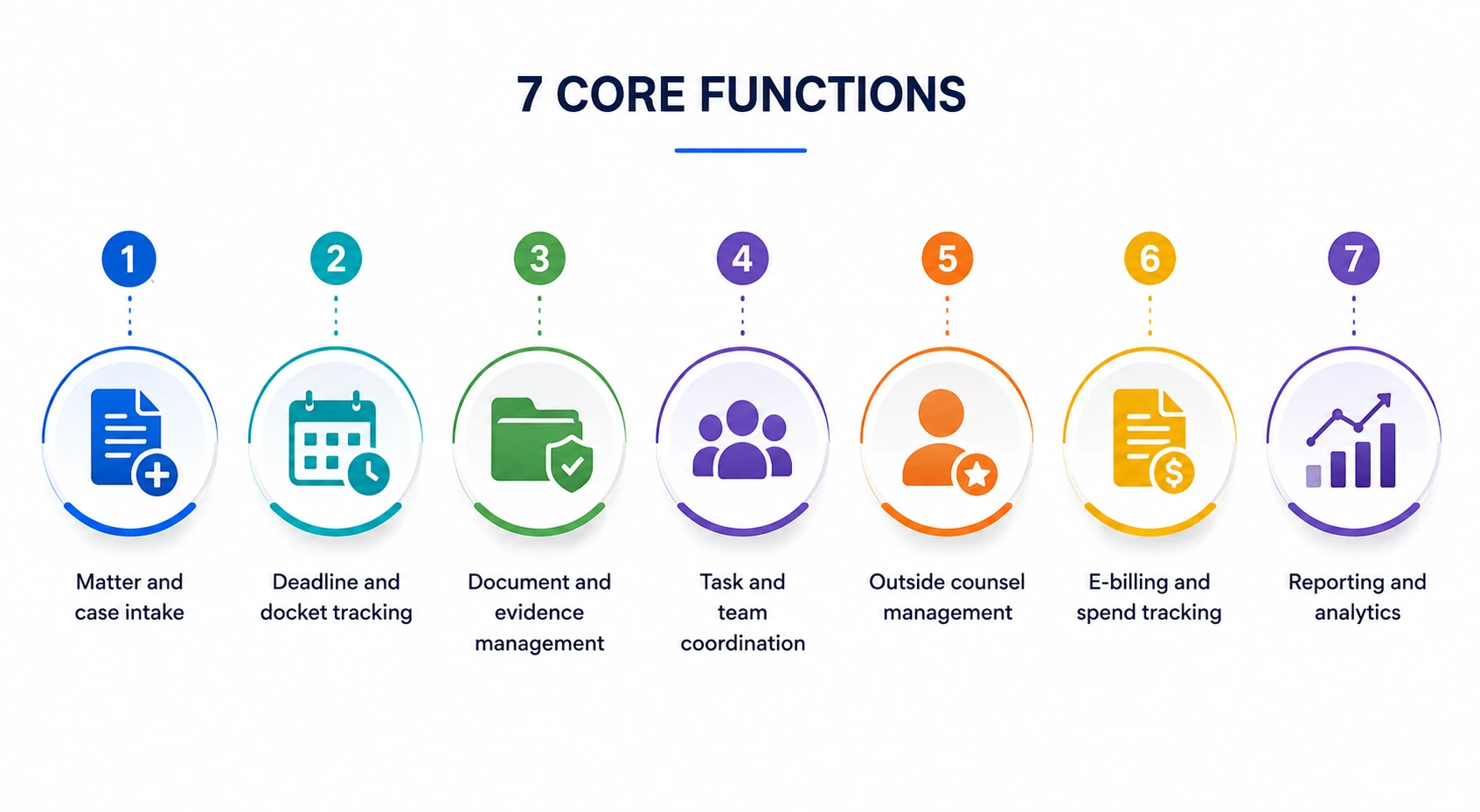
It covers seven core functions:
- Matter and case intake
- Deadline and docket tracking
- Document and evidence management
- Task and team coordination
- Outside counsel management
- E-billing and spend tracking
- Reporting and analytics
Worth clarifying: this is not the same as eDiscovery software. eDiscovery handles bulk collection and review of electronically stored information for a single case. Litigation management sits one level above, organizing the matter itself.
According to Clio's Legal Trends research, cloud-based legal practice management software is used by 81% of small law firms, reflecting the growing role of digital case management platforms in organizing matters, improving collaboration, and maintaining visibility across legal workflows.
Law Firms vs. In-House Teams: Which Tool Fits You?
The right software depends on which side of the table you work from.
Law firms deal with a matter execution problem. Attorneys are doing the work themselves. They need deep document management, deposition prep, drafting support, conflict checks, and billing accuracy. Integrations with iManage and Microsoft 365 are essential at this level.
In-house legal teams deal with a portfolio problem. They oversee disputes handled by outside counsel. Their priorities are spend management, outside counsel oversight, and exposure reporting.
Both sides need deadline tracking and AI research support. A tool built for trial prep is not the right fit for a six-person in-house team. Know your use case before booking a demo. If your firm runs high-volume civil litigation, remote litigation paralegals can extend team output while you evaluate software.
5 Features That Separate Good Platforms from Average Ones
These five capabilities reveal more than any feature checklist will.
1. AI-Powered Matter Intake
The platform should read a complaint and auto-populate the matter record. Parties, claims, jurisdiction, and key dates should populate in minutes. A paralegal who used to spend two hours on intake should spend fifteen minutes verifying what the system already pulled.
2. Document and Evidence Management at Scale
Modern litigation often involves tens of thousands of documents. The platform must let attorneys query the document set in plain language and return cited answers linked to the source. Summarization with one-click source verification is the current standard, not just keyword search.
3. Citation-Grounded Legal Research
General-purpose AI tools carry a well-documented risk of fabricated citations. A platform built for legal work grounds every answer in verifiable sources: case law, statutes, and internal firm precedent. Firms relying on consistent legal research and writing support benefit most from outputs attorneys can cite without rework.
4. AI-Assisted Drafting and Analysis
Useful legal AI grounds outputs in citations, shows its reasoning, and handles real legal tasks: drafting pleadings, summarizing depositions, and flagging inconsistencies across documents. Generic prose that still needs a full rewrite is not saving attorney time.
5. Integration Into Tools Your Team Already Uses
A platform requiring attorneys to copy out of the document management system and paste results back into Word will get abandoned. Native integration with iManage, Microsoft 365, Outlook, and court e-filing systems drives adoption more reliably than any feature on a spec sheet.
Security and Confidentiality: Evaluate This First
Privileged communications, work product, and client strategy all live inside this software. Security is the first filter, not a procurement formality.
Ask two questions in writing before signing. First: does the platform use customer data to train its models? Second: are prompts retained after the session? The acceptable answer to both is no.
HIPAA applies more often than most firms expect. Employment disputes, insurance litigation, and class actions involving medical claims all require a compliance check.
How AI Fits Across the Litigation Lifecycle
AI does different work at each stage of a matter. Testing the full lifecycle during your pilot is worth the time.
Platforms that handle all five stages without requiring manual data transfers between tools are the ones worth piloting.
Matching Software to Your Firm's Size
No single platform fits every firm. Here is a practical breakdown.
Solo and small firms (1-10 attorneys) should prioritize ease of use, client intake automation, and mobile access. Clio Manage and MyCase are widely adopted starting points. The PracticePanther vs. Clio comparison covers pricing and fit in detail.
Mid-sized litigation firms (10-50 attorneys) need deeper document management, team coordination, and billing accuracy. Filevine and Litify are built for heavier caseloads.
Enterprise and AmLaw firms should prioritize AI drafting depth, portfolio analytics, and enterprise-grade security. Harvey and Thomson Reuters HighQ are purpose-built at this scale.
The growing complexity of litigation workflows has led software providers to develop platforms tailored to litigation teams, with features designed for case management, document control, and collaboration.
Software Runs the System. Attorneys Win the Cases.
Good litigation software handles the administrative layer. It does not replace attorneys who read the strategy behind a deposition or draft the argument that wins the motion.
Many litigation firms hit a capacity wall not because their software is wrong, but because they lack trained attorneys and paralegals to run it.
Remote Attorneys places vetted litigation attorneys and paralegals who integrate into your existing software stack. They work inside Clio, Filevine, Litify, and other platforms using your firm's existing protocols, handling drafting, legal research, discovery review, and deposition summaries.
If your firm is evaluating software or needs people to run the platform you already have, explore remote legal staff services built for litigation workflows.
Book a free demo to see how remote litigation attorneys work inside your software.
Frequently Asked Questions
What is the best litigation management software?
For small firms, Clio and MyCase are strong starting points. Mid-sized litigation teams often choose Filevine or Litify. Enterprise teams use Harvey or Thomson Reuters HighQ.
What is the difference between litigation management software and eDiscovery software?
Litigation management organizes the entire matter. eDiscovery handles bulk document processing for one case. They complement each other but serve different functions.
How much does litigation management software cost?
Entry-level plans start at $49 to $99 per user monthly. Mid-tier plans run $100 to $250. Enterprise pricing is custom and based on firm size and contract terms.
Is cloud-based litigation software secure enough for privileged communications?
Yes, if the platform holds SOC 2 Type II and ISO 27001 certifications, provides matter-level access isolation, and confirms in writing no customer data trains its AI.
Can remote attorneys work inside litigation management software?
Yes. Remote litigation attorneys at Remote Attorneys integrate into Clio, Filevine, Litify, and other platforms using your existing workflows and access controls.
Your Software Decision Is Only Half the Work
Litigation management software makes a real difference for firms that commit to using it. The right platform reduces manual tracking, surfaces better insights, and keeps your team coordinated across complex cases.
The gap most firms underestimate is the people side. Software needs trained attorneys and paralegals to run at full potential. Pairing the right platform with the right litigation support team changes how quickly cases move from intake to resolution.